Is the Xiaomi 17 Ultra 5G?
Yes — the Xiaomi 17 Ultra supports 5G.
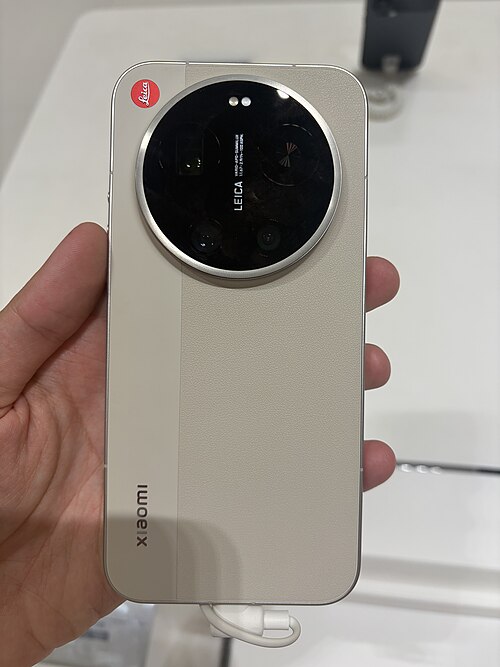
Sold in
- India
5G bands
The Xiaomi 17 Ultra lists these 5G bands: n1, n2, n3, n5, n7, n8, n12, n20, n25, n26, n28, n38, n40, n41, n48, n66, n71, n75, n77, n78, n79.
- n1
- n2
- n3
- n5
- n7
- n8
- n12
- n20
- n25
- n26
- n28
- n38
- n40
- n41
- n48
- n66
- n71
- n75
- n77
- n78
- n79
Source: mi.com · listed for India
SA 5G (standalone)
The Xiaomi 17 Ultra supports SA 5G in India.
- SA 5G India (Jio's 5G device list)
Some networks run 5G in standalone mode only — Jio in India, for one — so a phone without SA gets no 5G on them.
Specs
- Chipset
- Snapdragon 8 Elite Gen 5
- Display
- 6.9″
- Battery
- 6,000 mAh
- RAM
- 16 GB
- Storage
- 512 GB
Source: mi.com
VoLTE and 5G settings on Xiaomi, Redmi and POCO phones
- VoLTE (4G calling): Settings → SIM cards & mobile networks → the SIM you call from → Use VoLTE (also called VoLTE calls or Make calls using 4G)
- 5G: Settings → SIM cards & mobile networks → your SIM → Preferred network type → Prefer 5G
No VoLTE switch at all usually means your operator has not turned VoLTE on for your SIM — nothing on the phone changes that. Step-by-step guide for Xiaomi, Redmi and POCO phones · Check VoLTE with VoLTE Check
How to check 5G on your own phone
On Android, open Settings → Network & internet → SIMs → Preferred network type (on Samsung, Settings → Connections → Mobile networks → Network mode). On an iPhone, open Settings → Cellular → Cellular Data Options → Voice & Data (Mobile Service → Mobile Data Options in some regions). If any option mentions 5G, the phone can use 5G.
A 5G phone still needs the right bands for your carrier, standalone (SA) support where the network requires it, a plan that includes 5G, and coverage where you are.